Organizing 9TB of Photos
photography python
As someone who shoots a lot I’ve learned that staying organized is half the battle. Over time, I found myself repeatedly creating the same folder structure by hand for every new project and realized I needed a tool to automate it — so I built one.
📁 The problem
My photo library is big, currently about 9TB over ~150K photos ranging from ‘07 to now. Without a consistent structure, it quickly becomes overwhelming to find files, sync edits, or prepare exports. I wanted to make sure that no matter what camera I was using or what kind of media I was working with (RAW, JPEG, scans, exports), everything landed in a predictable place.
🛠️ The Solution
I wrote a small Python script called folder_create.py. It builds a uniform folder structure based on:
- The event name
- The event date
- The cameras used
- The type of media (video, photos, etc.)
It supports any number of cameras and creates nested folders for RAWs, JPEGs, scans, and exports. You can download it here.
For example, a typical structure might look like this:
example/
└── Pictures/
    └── 2025/
        └── 03-March/
            └── 31-Example-Event/
                ├── Import/
                │   ├── M10M/
                │   │   ├── RAW
                │   │   ├── JPEG
                │   │   ├── Home Scans
                │   │   └── Lab Scans
                │   └── Q2/
                │       ├── RAW
                │       ├── JPEG
                │       ├── Home Scans
                │       └── Lab Scans
                └── Export/
                    ├── Full JPEGs
                    ├── Edits
                    ├── Instagram-Post_(1x1)
                    ├── Instagram-StoryReel_(9x16)
                    ├── Instagram-Portrait_(4x5)
                    ├── Instagram-Landscape_(1.91x1)
                    └── Photoshop
⚙️ How it works
The script takes command line arguments and builds a discrete folder structure, converting text to easier to organize data.
An example of creating an event where I used two cameras on 3/31 looks like:
folder_create.py \
    --root-folder ./example \
    --cameras M10M,Q2 \
    --event-date 2025-03-31 \
    --event-name "Example Event" \
    --media-type Photo
this would result in the folder structure shown above.
💡 Why it matters
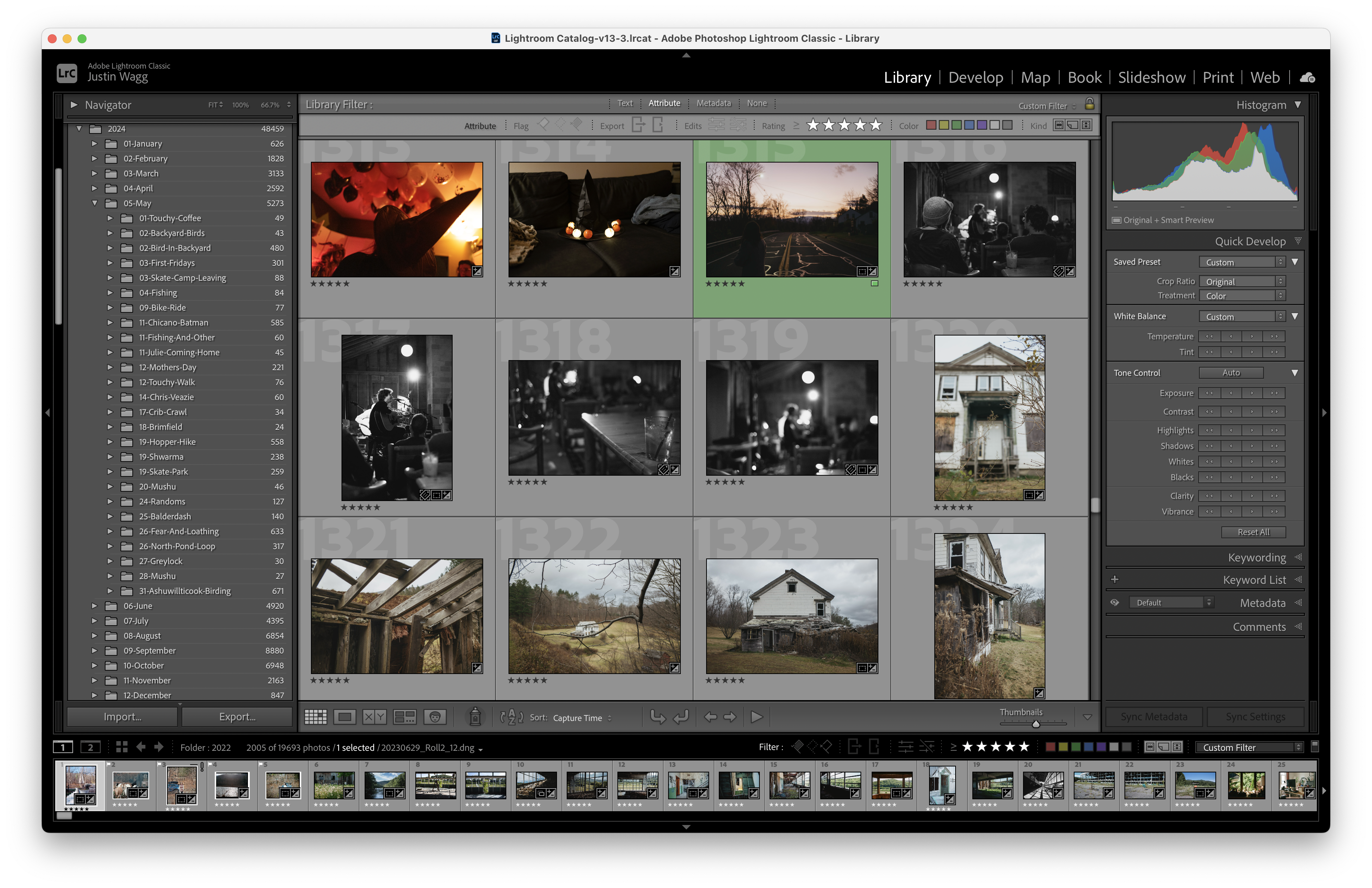
Good organization means faster workflows, easier backups, and less mental overhead. Whether I’m editing in Lightroom, syncing files to my NAS, or exporting images for Instagram, I always know where everything belongs.
You can see an example of how clean the folder structure is in Lightroom below.
😊 Making it even easier
To avoid having to run anything on the command line every time I import a photo, I created a simple Mac shortcut that does the work for me
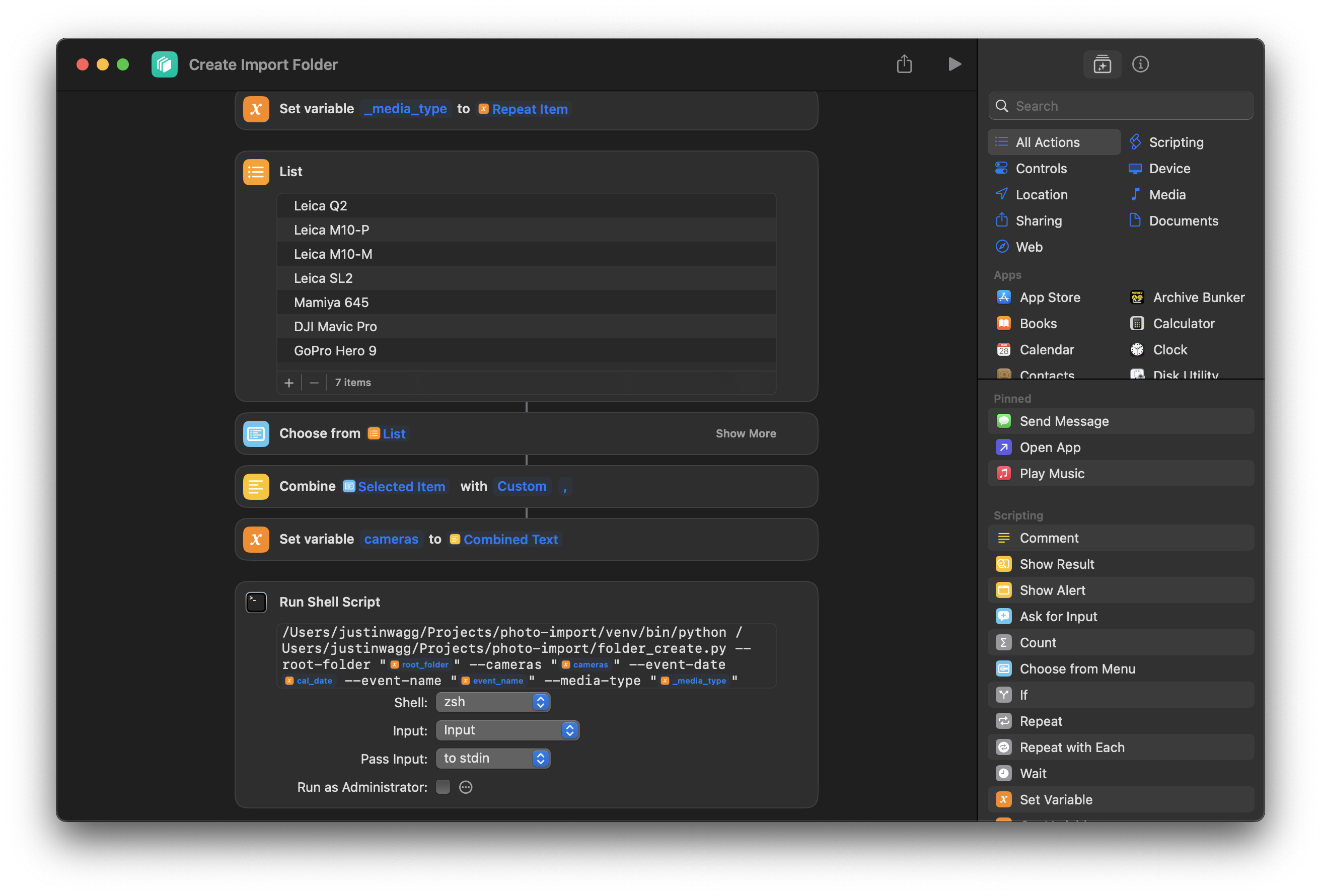
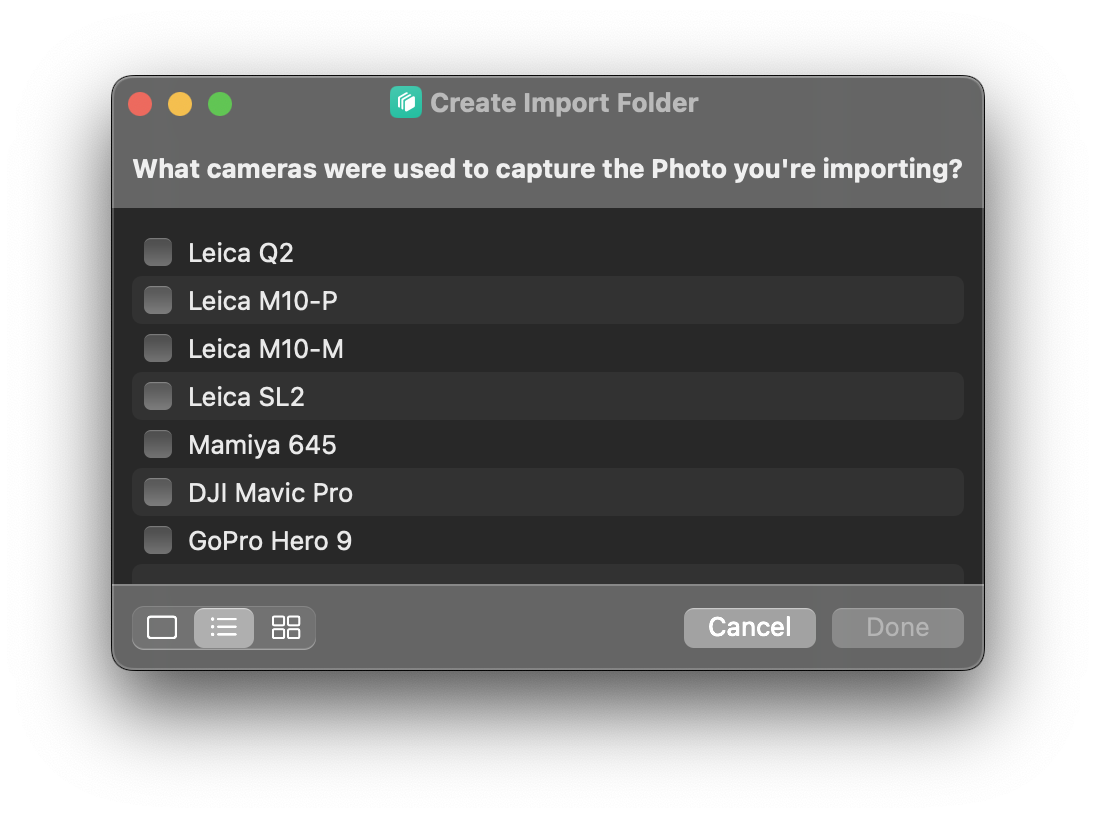
The shortcut grabs inputs for the script in a series of menu prompts and then submits them to the script.
If you’re someone who ends up with hundreds of folders with no place to go, this might be the tiny bit of automation that saves your sanity.