Strange things are afoot at the XtraMart
Raspberry Pi Claude Code Fall Foliage Parade
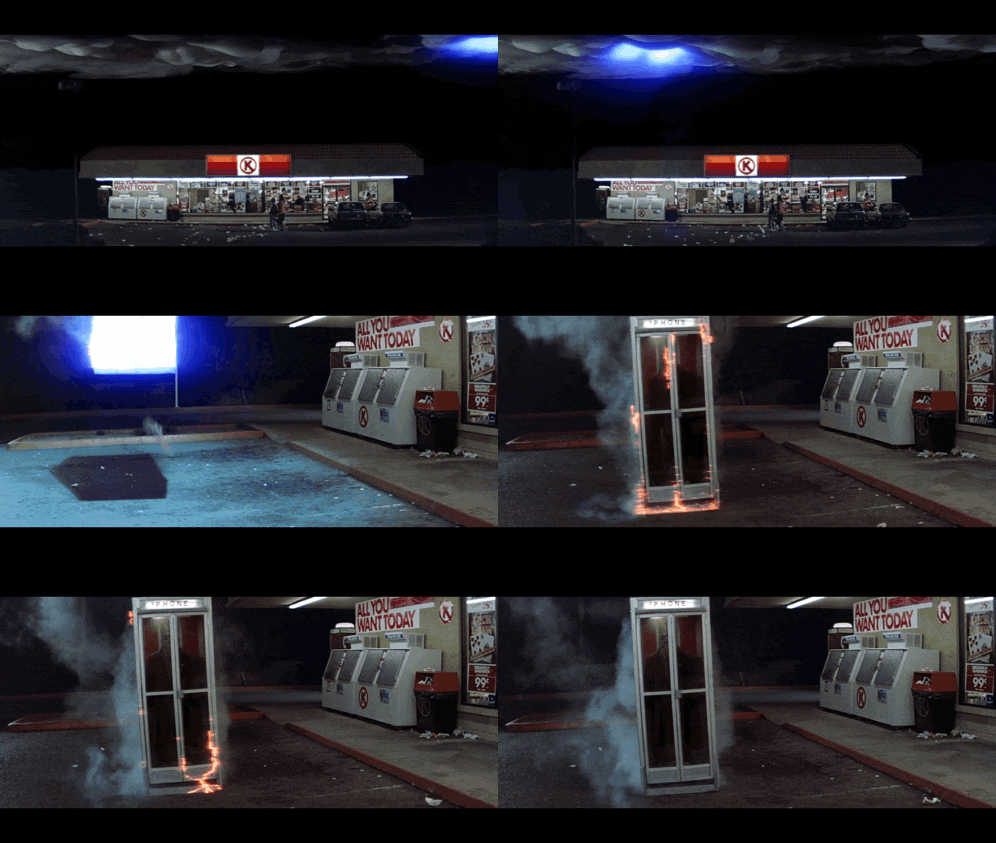
The theme of this year’s North Adams Fall Foliage Parade was time travel through the Berkshires. After tossing around a few ideas, we landed on Bill and Ted’s Excellent Adventure, with a distinctly North Adams twist.
In 2024 and 2025, our parade floats were powered by an Arduino. I’ve gotten pretty comfortable switching low-power lights and reading digital inputs, but this year we had something a little more ambitious in mind: Bill and Ted’s phone booth spinning on a turntable, surrounded by lightning, cold sparks, and fog, all controlled by a lightweight web app that would let us configure the show and monitor its performance on parade day.
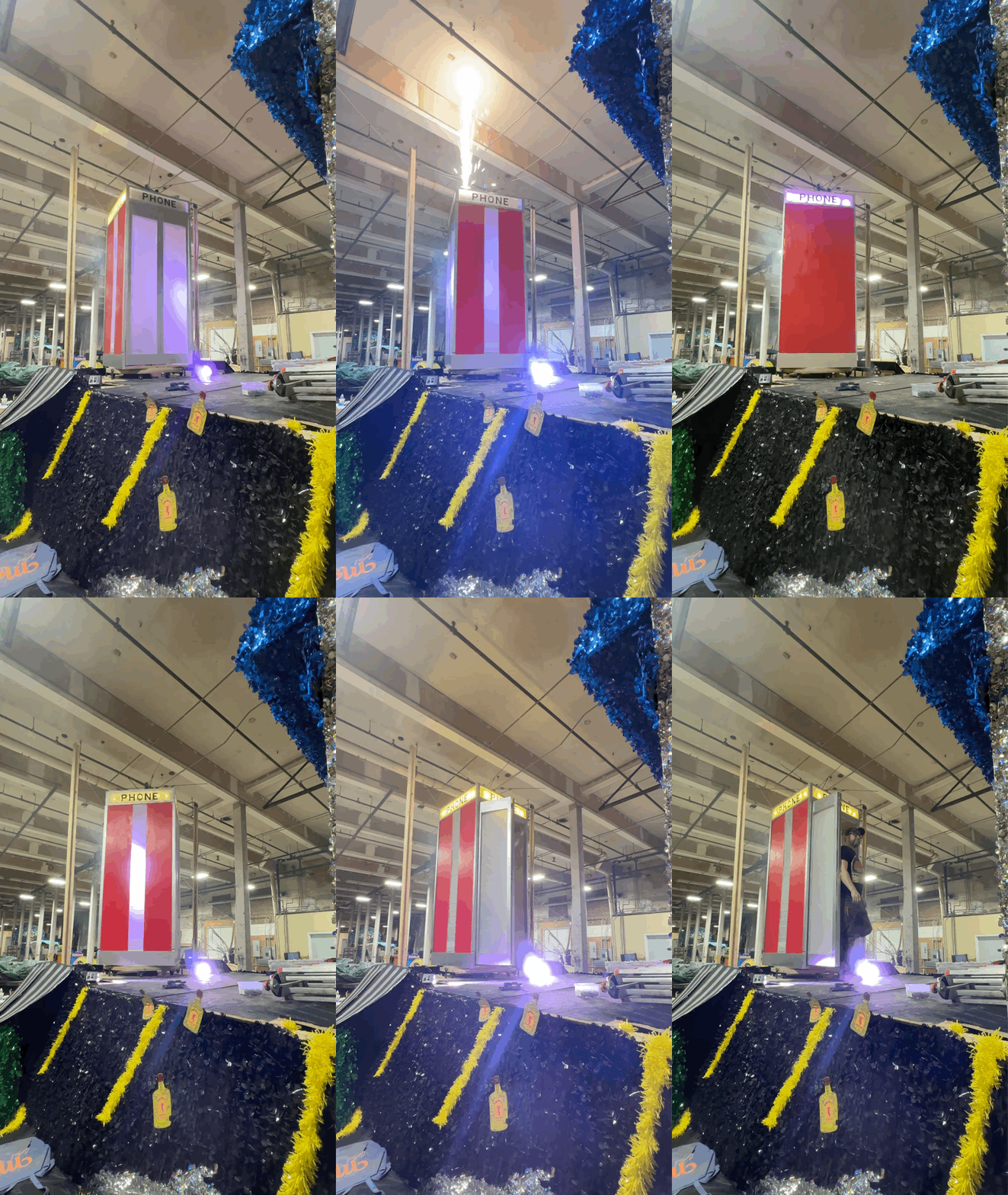
The original idea was that a performer would hide inside the booth, press a button when ready, and the booth would slow to a stop facing Bill and Ted, surrounded by a cloud of fog, before the performer stepped out. Pulling that off reliably, while giving us the flexibility to make adjustments on the fly, called for something a bit more capable than last year’s Arduino sketch.
Designing the Show
The concept sounded simple enough: spin, wait for the performer, stop facing the audience, reveal, repeat.
But every part of that sequence raised another question. How would we know where the booth was in its rotation? What if the performer pressed the button just before it came around? What should the lights do while the booth was stopped? And, most importantly, what happens when something goes wrong?
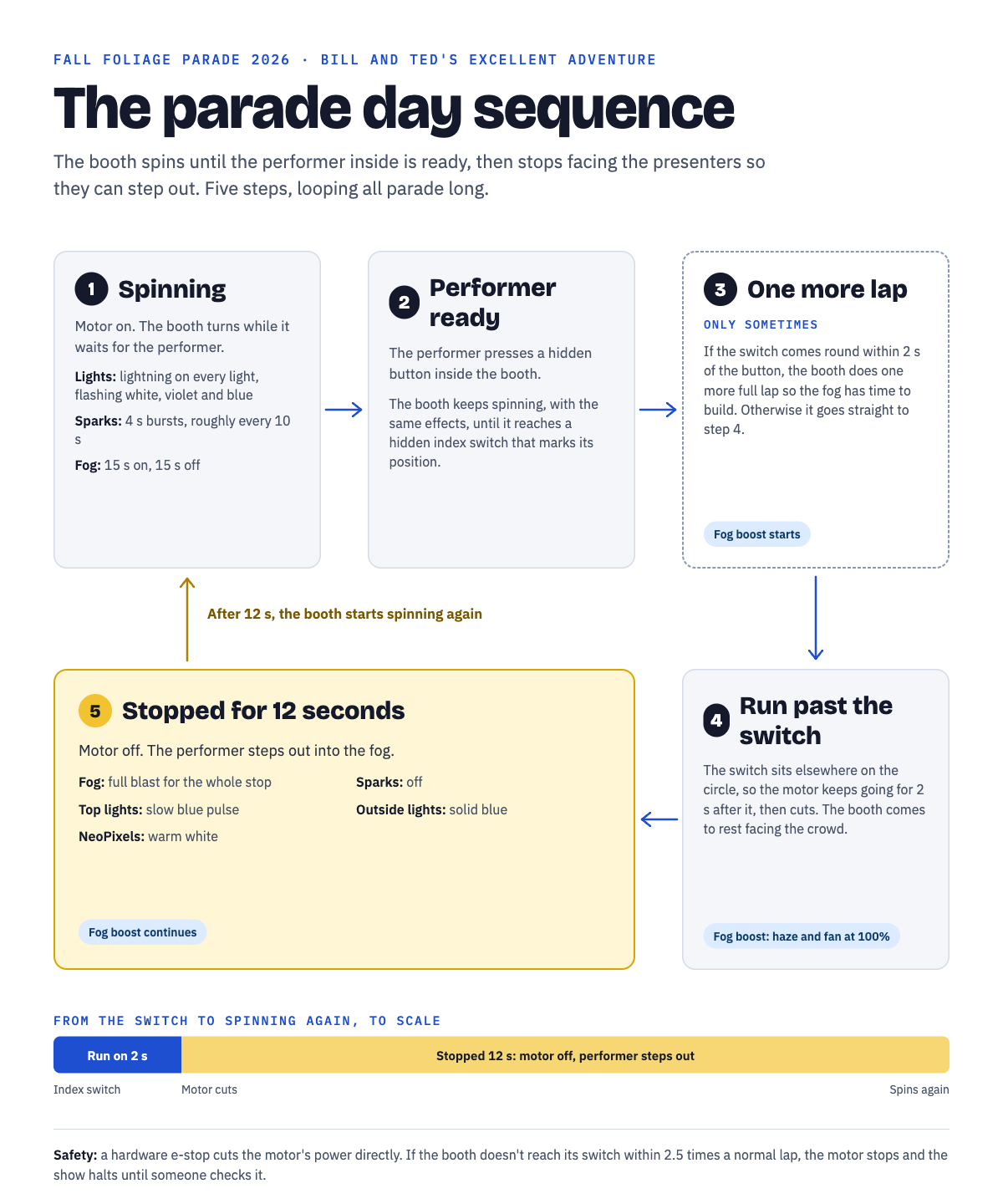
Eventually, we settled on a five-step sequence:
- Spinning: Lightning effects run across the lights, with bursts of sparks and puffs of fog.
- Performer ready: The performer presses a hidden button to signal they’re ready to emerge.
- One more spin: If the booth is too close to its stopping point, it completes another rotation to give the fog time to build.
- Run past the index: A hidden microswitch tells us where the booth is in its rotation. From there, the motor continues running for a configurable amount of time so the booth stops facing the presenters.
- Stopped: The fog machine kicks into high gear, the lighting changes, and the performer emerges. After a few seconds, the whole sequence starts again.
The Control Box
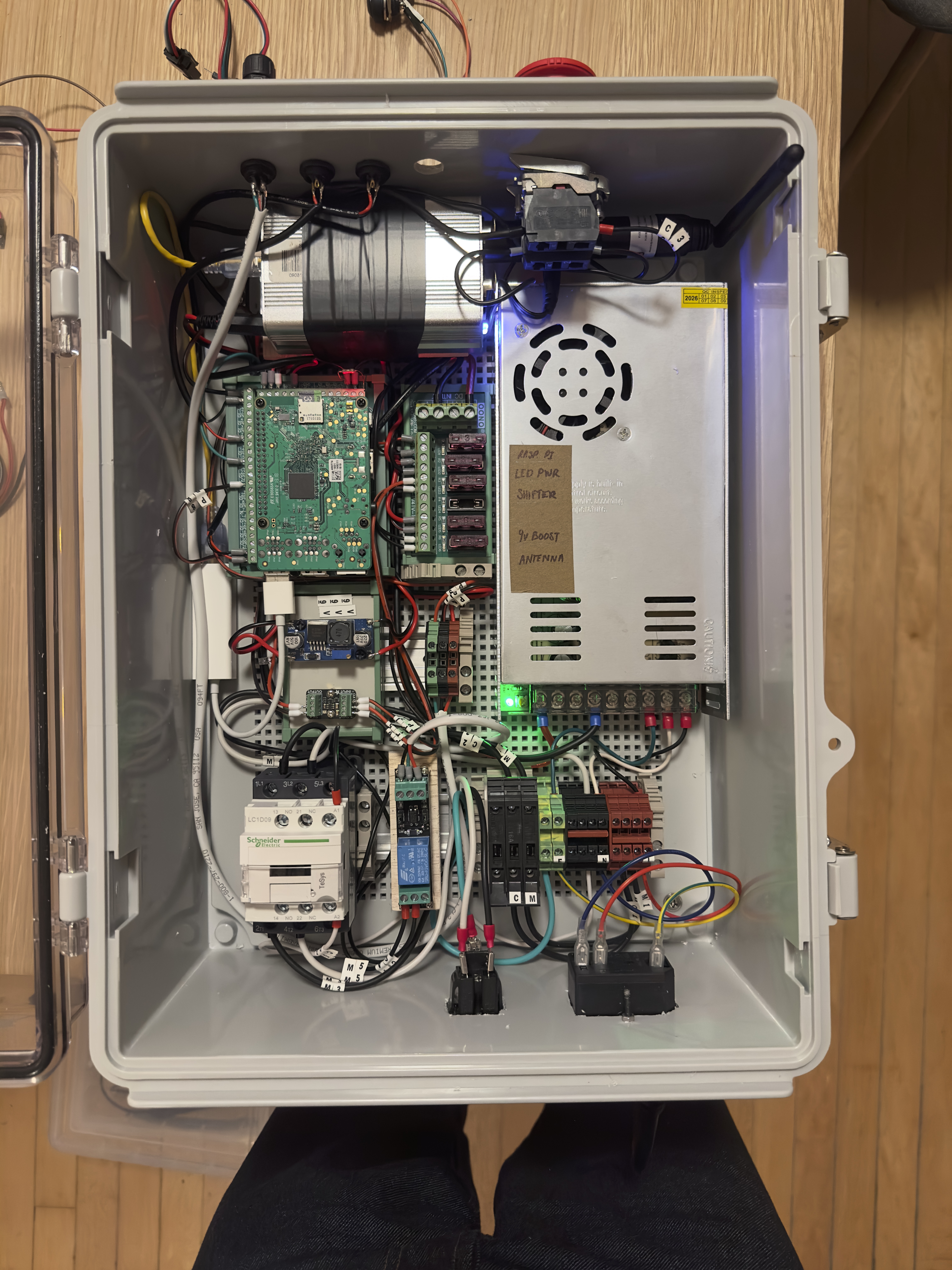
The brains behind this year’s float is a Raspberry Pi 3. It handles switching a 300 W gear motor through a relay and contactor, reading the performer’s button, the turntable’s index switch, and the emergency stop. It also controls the rest of the show over wireless DMX: five RockWedge LED PARs, a cold spark machine, and a fog/haze machine. On top of the booth, we mounted 35 RGBW NeoPixels, eight per side.
Safety was a major consideration this year. A spinning phone booth that performers have to climb through introduces some obvious hazards. The hardware emergency stop cuts power to the motor independently of the Pi, so it works even if the software doesn’t.
On top of that, we built several layers of protection into the software. The motor shuts off whenever the show isn’t running, stops automatically if the turntable fails to reach its index switch, and disables the sparks and fog if something goes wrong. We also added a big red “All effects off” button to the dashboard, giving whoever is monitoring the float a quick way to shut things down in an emergency.
A few things we learned along the way (some the hard way):
- NeoPixels and white don’t mix (without enough power). Our strip went from white to orange halfway along its length. A multimeter revealed that only 3.2 V was reaching the strip at full white. Heavier power wiring, along with using the pixels’ dedicated white LEDs instead of mixing RGB to make white, solved the problem.
- DMX is a one-way conversation. The Pi can send commands to a fog machine all day, but it has no way of knowing whether the machine actually responded. Our solution was a simple “roll call” that flashes each fixture in sequence while someone walks around the float to verify everything is working.
- Spark powder is precious. We burned through 50 g of powder just to measure how long it would last: 83 seconds. That told us our 1,850 g supply would provide roughly 51 minutes of full-height sparks, which helped us decide how frequently to fire them.
The Dashboard
One of the most exciting additions this year was an interactive web app for controlling the entire show.
The Pi broadcasts its own WiFi network, with the password scrolling across a tiny OLED screen on the control box. Anyone on the crew can connect with a phone or iPad and open the dashboard, no internet connection required.
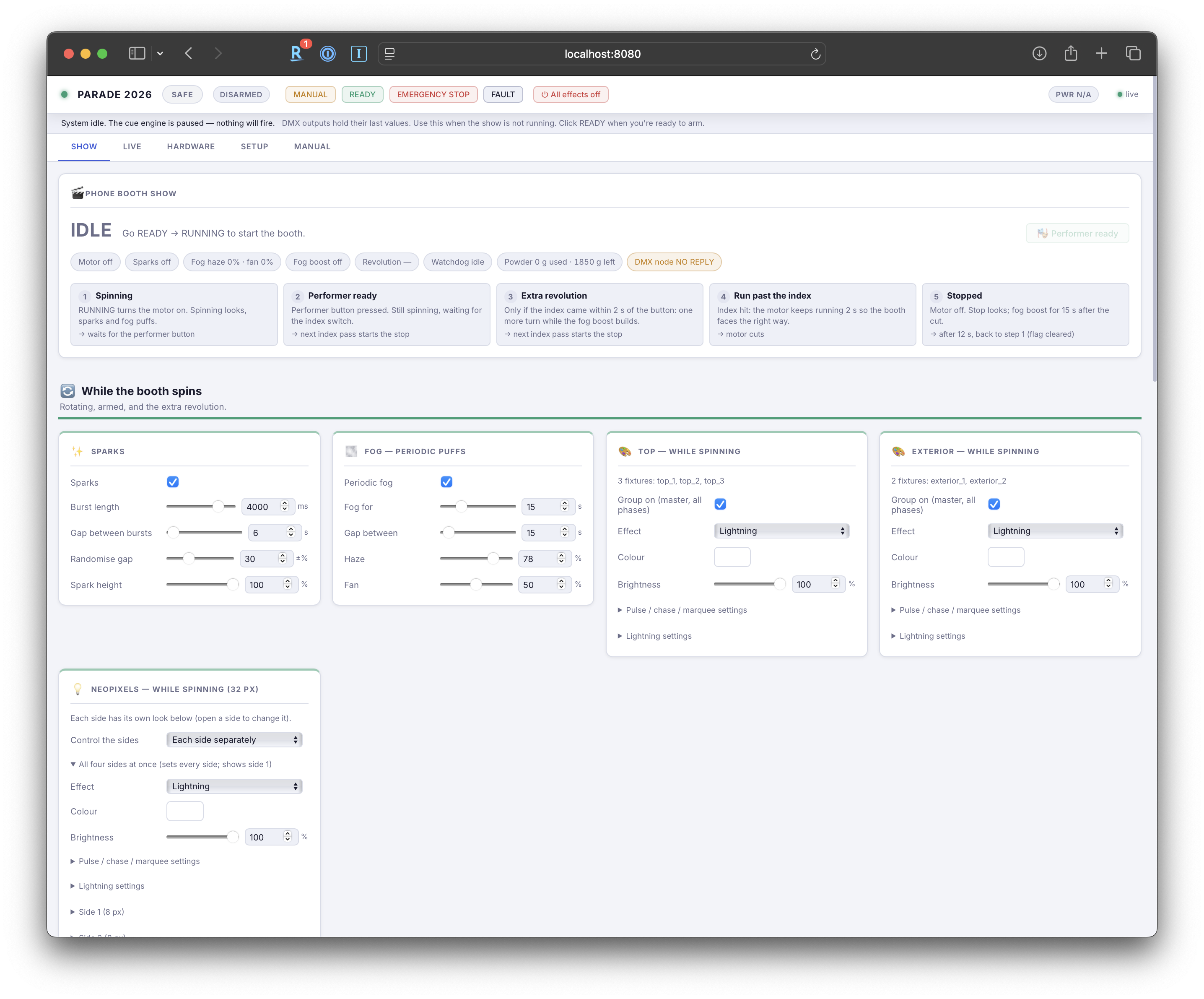
The Show tab gives us control over practically every aspect of the performance: spark burst durations and intervals, fog and fan settings, lightning colors for each group of lights, the NeoPixel marquee, how long the booth stays stopped, and how far it rotates past the index switch.
Changes take effect immediately and are saved automatically. A live diagram shows where the booth is in the show sequence, while a little “LIVE” indicator identifies which settings are currently active on the lights. There’s even a powder gauge that estimates how many grams of spark powder we’ve used and how much we have left.
As it turned out, this was one of the most useful features we built. During setup and throughout the parade, we could fine-tune the entire performance without ever touching a line of code. We went from three-second spark bursts every 25 seconds to four-second bursts every 10, thickened the fog, and shortened the booth’s stops, all from a phone while the float was rolling down the street.
Built with Claude
Last year, I used AI to help write a good portion of the Arduino functions that powered our float. This year, I took things quite a bit further and built the entire project with the assistance of Claude Code.
It was a fascinating experience. Rather than simply asking AI to generate code, it felt much more like collaborating with a patient engineer who was willing to work through the details, question assumptions, and help troubleshoot problems along the way.
Claude helped write the hardware drivers, safety monitoring logic, and web dashboard, but its contributions went well beyond software. It helped me work through an area I was much less comfortable with: 120 V wiring. Together, we developed a detailed wiring guide with every wire labeled by component and terminal, put together a multimeter test plan, and worked through design decisions that I probably wouldn’t have thought to question on my own.
And when something didn’t make sense, Claude wasn’t afraid to push back.
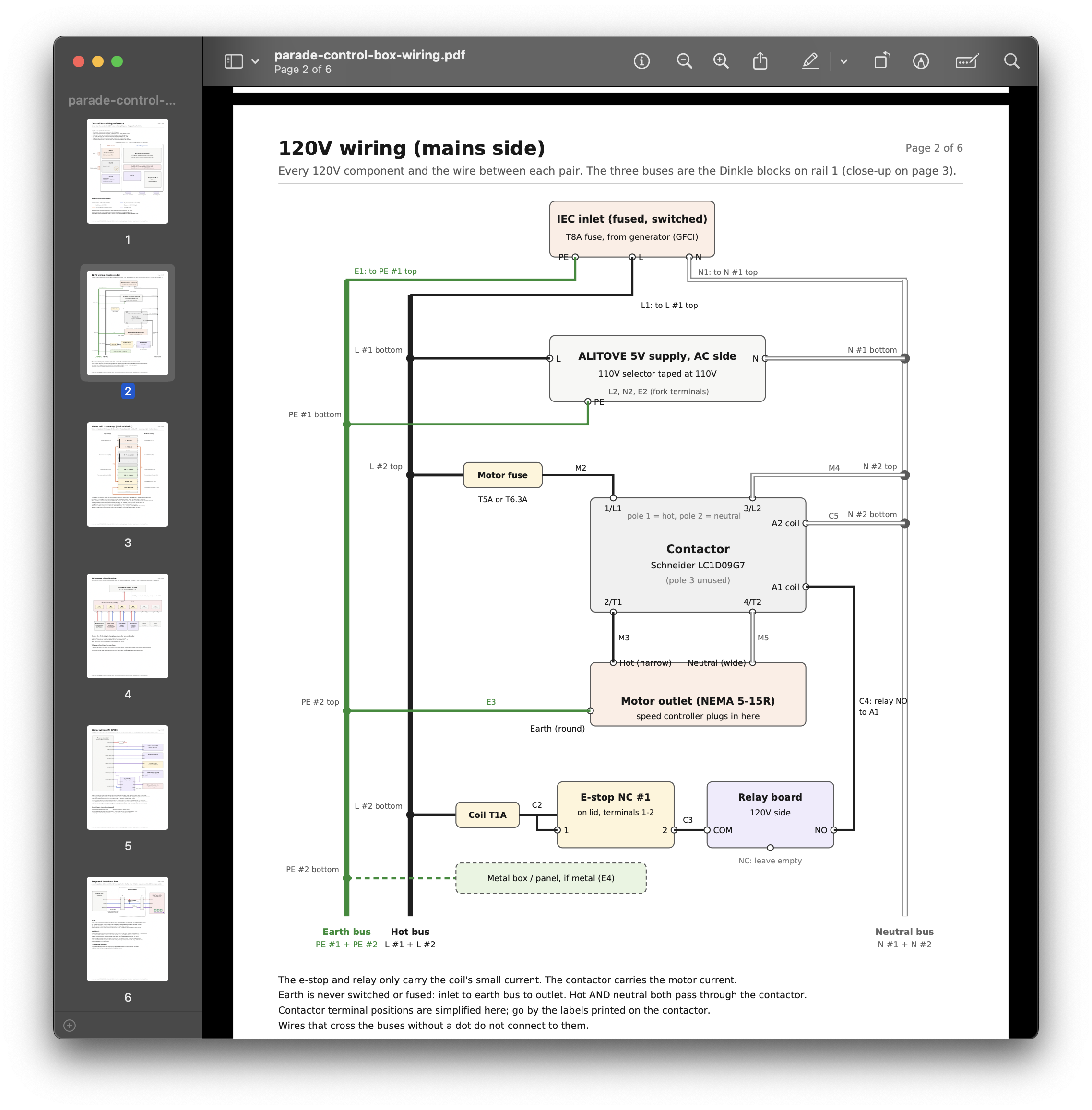
By the numbers, the project took nine days, 21 commits, roughly 6,500 lines of Python, 170 automated tests, and 19 documented design decisions.
Parade Day
And the best part? It worked!
The booth spun, the sparks flew, the fog rolled, and every time the performer pressed that button, the booth came around and stopped exactly where it needed to. We were able to tweak the performance throughout the parade, and while we did encounter one fault, the safety systems kicked in and behaved exactly as designed.
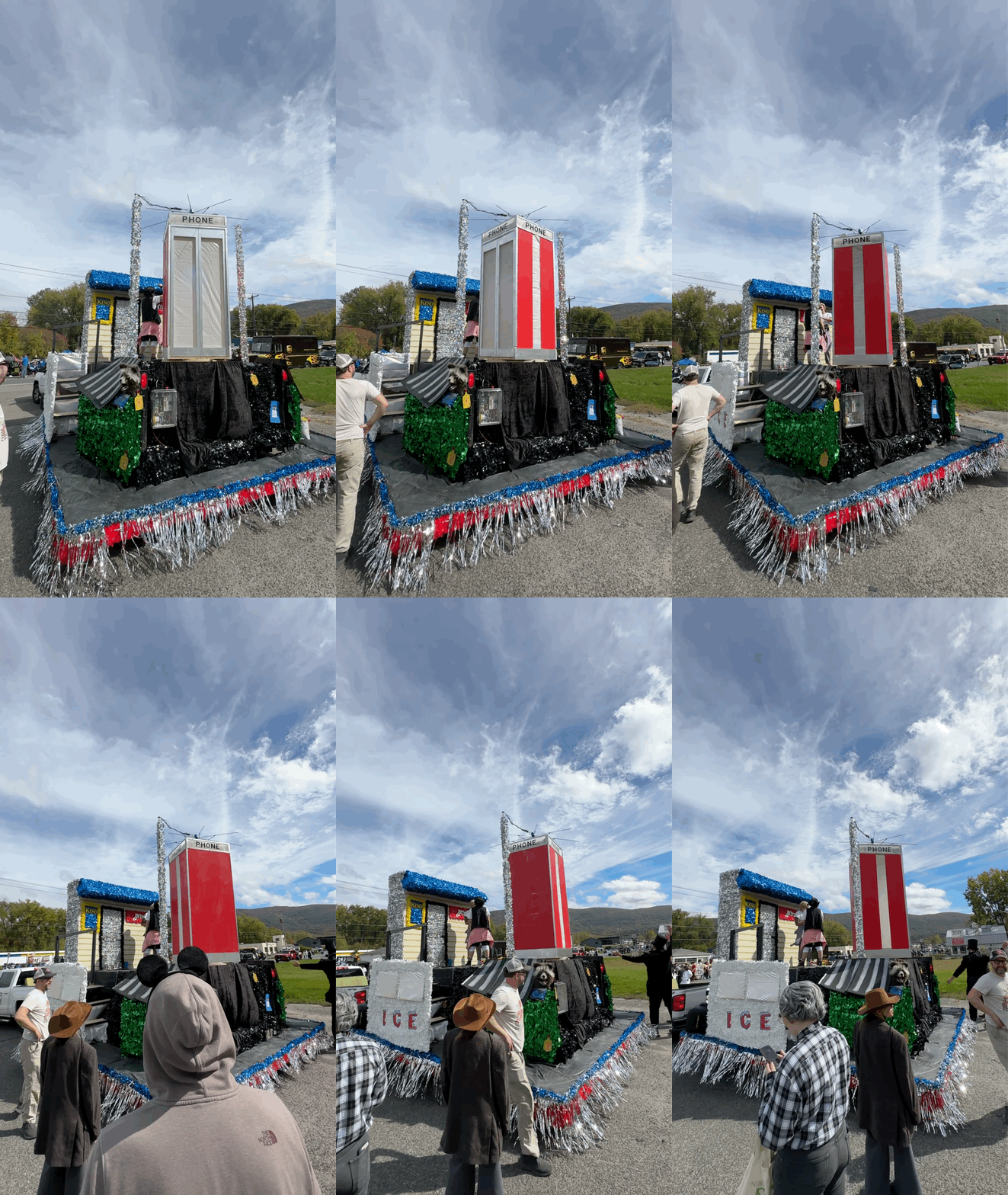
Between the wiring, the software, and the interface, this was easily one of the most rewarding projects I’ve worked on. I learned a tremendous amount, pushed my embedded-controller skills further than I expected, and came away with a whole new appreciation for what’s possible when you combine a Raspberry Pi, some creativity, and a little help from AI.
Already looking forward to next year’s float!